
Stylesheet-based Markdown rendering for terminals. This TypeScript port tracks charmbracelet/glamour v2.0.1 and preserves the package's existing TypeScript API.

Read the article: Getting Started with Glamour · Porting Lip Gloss and Glamour from Go
- ANSI rendering with 16-color, 256-color, true-color, and no-color profiles
- Seven built-in themes: dark, light, ascii, dracula, tokyo-night, pink, notty
- CommonMark/GFM links, tables, task lists, strikethrough, code, and autolinks
- Definition lists and opt-in GitHub emoji shortcodes
- Table wrapping/truncation and inline or numbered-footer table links
- OSC 8 hyperlinks, base-URL resolution, syntax highlighting, and CJK-aware wrapping
- Node.js and Bun support
npm install @oakoliver/glamourimport { render, renderWithStyle } from '@oakoliver/glamour';
// Render with the default dark theme
const output = render('# Hello World\n\nThis is **bold** and *italic* text.');
console.log(output);
// Render with a specific theme
const light = renderWithStyle('# Hello\n\nParagraph text.', 'light');
console.log(light);Built-in themes: dark, light, ascii, dracula, tokyo-night, pink, notty.

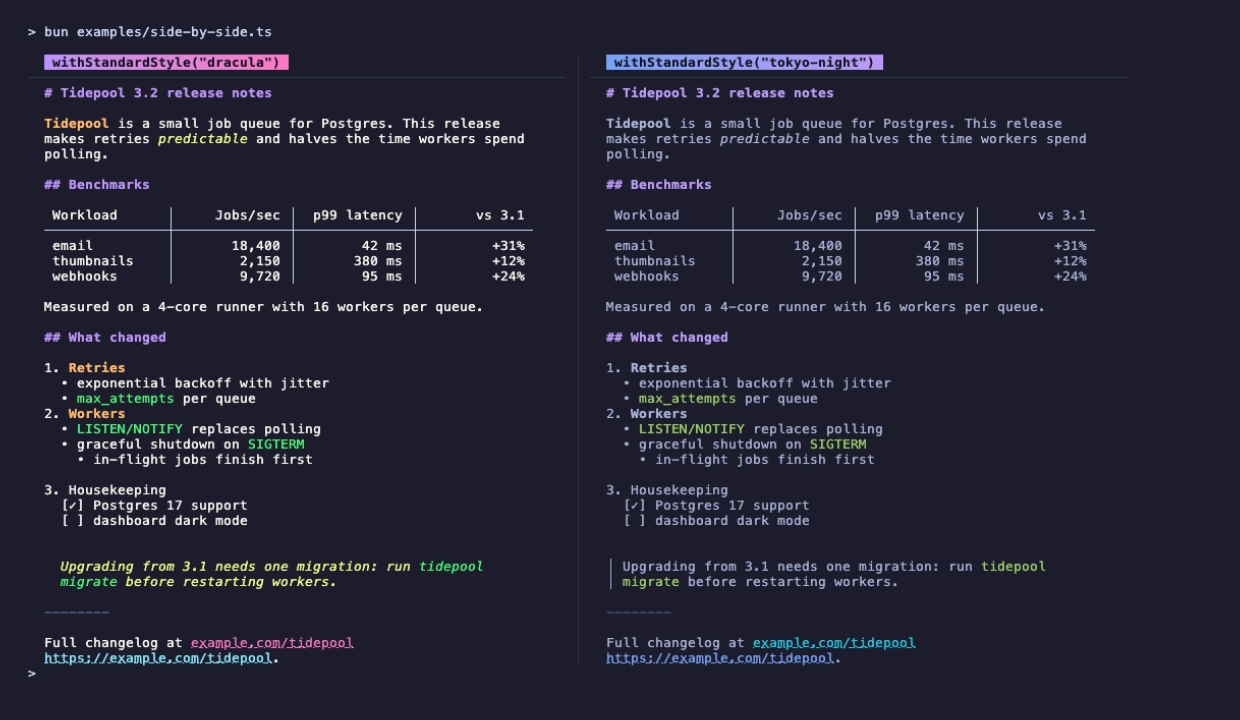
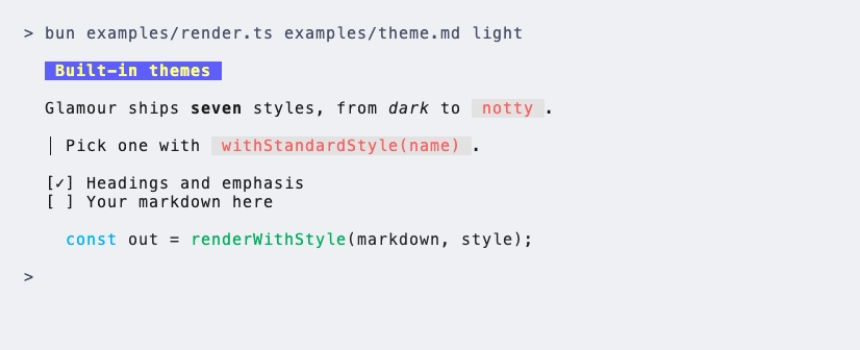
import { renderWithStyle } from '@oakoliver/glamour';

const out = renderWithStyle('# Dracula Theme\n\n> A blockquote', 'dracula');Use TermRenderer for full control over rendering options:
import { TermRenderer, withStandardStyle, withWordWrap } from '@oakoliver/glamour';

const renderer = new TermRenderer(
  withStandardStyle('dark'),
  withWordWrap(100),
);

const output = renderer.render('# Custom Rendering\n\nWith word wrap at 100 columns.');
console.log(output);Pass a StyleConfig object to fully customize how each markdown element is rendered:
import { TermRenderer, withStyles } from '@oakoliver/glamour';
import type { StyleConfig } from '@oakoliver/glamour';

const myStyle: StyleConfig = {
  heading: { bold: true, color: '#ff6600', prefix: '>>> ' },
  paragraph: { margin: 1 },
  code: { prefix: '`', suffix: '`', color: '#00ff00' },
};

const renderer = new TermRenderer(withStyles(myStyle));
const output = renderer.render('# Orange Heading\n\nCustom styling.');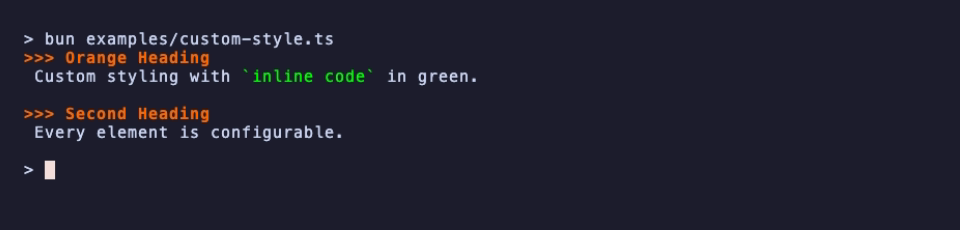
render(markdown, stylePath?)— Render with the default or selected style.renderWithStyle(markdown, style)— Render with a named built-in style.renderBytes(markdown, stylePath?)— Render to aBuffer.renderWithEnvironmentConfig(markdown)— ReadGLAMOUR_STYLE.
new TermRenderer(...options)/newTermRenderer(...options)— Create a renderer.renderer.render(markdown)/renderer.renderBytes(markdown)— Render immediately.renderer.write(chunk),renderer.close(),renderer.read()— Buffered writer chain.
withStandardStyle,withStylePath,withStyleswithStylesFromJSON,withStylesFromJSONBytes,withStylesFromJSONFilewithWordWrap,withTableWrap,withInlineTableLinkswithPreservedNewLines,withBaseURL,withEmojiwithChromaFormatter,withColorProfile,withHyperlinkswithEnvironmentConfig,withAutoStyle,withOptions
The custom GFM parser is also exported for direct use:
import { parse, NodeKind } from '@oakoliver/glamour';

const ast = parse('# Hello\n\nWorld');
// Walk the AST...Apart from the differences below, output is byte-for-byte identical to Glamour
v2.0.1. The test suite checks this against golden files rendered by the real Go
library (every fixture in all seven styles at widths 40 and 80, plus Glamour's
own renderer test corpus); the generator lives in tests/golden/generate.
Known differences:
- Syntax highlighting. Upstream lexes code blocks with chroma; this port uses highlight.js mapped onto the same chroma style entries and writes tokens the way chroma's terminal formatters do. Text, wrapping and layout match, but token boundaries, and so the colors of individual tokens, can differ. Code in unknown or unspecified languages renders as plain text, as with chroma's fallback lexer, and matches exactly.
- Named chroma themes. A
code_block.themewithoutcode_block.chromarules (e.g."solarized-dark") selects one of chroma's built-in palettes upstream. Those palettes are not ported; such blocks use thecode_blockcolors. - Chroma theme registration. Upstream registers its code theme globally the first time it highlights code, so later renders with a different style in the same process reuse the first style's code colors. This port always uses the current style's colors. Where two palette colors are equally close to a style color, upstream's choice varies between runs; this port picks the first.
- Default style.
new TermRenderer()without a style option uses the dark style; upstream starts with an empty style.
Upstream styles.GetDefaultStyle("auto") (used by WithAutoStyle) probes the
terminal background through Go's termenv.HasDarkBackground. Node.js and Bun
do not expose an equivalent cross-platform terminal-background query, so this
port resolves auto deterministically to the dark style. Explicit light and
dark selection remains fully supported.
The pictures in this README are real output, recorded with
@oakoliver/vhs from the tapes in
assets/tapes. Run the examples yourself:
bun examples/render.ts examples/sample.md            # dark theme
bun examples/render.ts examples/theme.md dracula     # any built-in theme
bun examples/custom-style.ts                         # custom StyleConfig
bun examples/side-by-side.ts # two styles side by side (needs @oakoliver/lipgloss >= 1.1.0)This is a TypeScript port of glamour by Charmbracelet, Inc., licensed under MIT.
MIT