Skip to content

Possibility to align minimized MDI child to default location (TOP LEFT) - #5221

Merged
dreddy-work merged 2 commits into
dotnet:mainfrom
kirsan31:main
Jul 19, 2021
Merged

dreddy-work merged 2 commits into
dotnet:mainfrom
kirsan31:main

Conversation

@kirsan31

@kirsan31 kirsan31 commented Jul 9, 2021 •

Copy link
Copy Markdown
Contributor

Fix #4720.

Proposed changes

  • Add public bool property MdiChildrenMinimizedAnchorBottom to Form class.

Customer Impact

WinForms override standard MDI behavior without option to use original one. It's lead to all child windows layout (with minimized windows) are mess up after main window resize. This can happened after simple resize, or after resolution changed (for example if your connect by rdp from other device), etc... Customer can use MdiChildrenMinimizedAnchorBottom to revert for Windows default behavior.

Regression?

No

Risk

Minimal.

Screenshots

Designer

MdiChildrenMinimizedAnchor.mp4

P.s. Video above with old name of the property.

Test methodology

Manual.
Maui automated test.

Accessibility testing

Unfortunately, I do not know anything on this topic. Therefore, if this is necessary, I will need additional time to figure it out ...

Microsoft Reviewers: Open in CodeFlow

@ghost ghost assigned kirsan31 Jul 9, 2021
@dnfadmin

dnfadmin commented Jul 9, 2021 •

Copy link
Copy Markdown

CLA assistant check
All CLA requirements met.

@dreddy-work

Copy link
Copy Markdown
Member

@kirsan31, Good news - API is approved with suggestions. Details are in the associated issue. Can you please update this PR and mark it ready for review?

@kirsan31

Copy link
Copy Markdown
Contributor Author

@kirsan31, Good news - API is approved with suggestions. Details are in the associated issue. Can you please update this PR and mark it ready for review?

Excellent. I'll do it as soon as I can.

@kirsan31
kirsan31 marked this pull request as ready for review July 14, 2021 08:17
@kirsan31
kirsan31 requested a review from a team as a code owner July 14, 2021 08:17

@dreddy-work dreddy-work left a comment

Copy link
Copy Markdown
Member

Choose a reason for hiding this comment

The reason will be displayed to describe this comment to others. Learn more.

Comment thread src/System.Windows.Forms/src/Resources/SR.resx Outdated
Comment thread src/System.Windows.Forms/src/System/Windows/Forms/Form.cs Outdated
Comment thread src/System.Windows.Forms/src/Resources/SR.resx Outdated
Comment thread src/System.Windows.Forms/src/System/Windows/Forms/Form.cs Outdated
@ghost ghost added the waiting-author-feedback The team requires more information from the author label Jul 15, 2021
@ghost ghost removed the waiting-author-feedback The team requires more information from the author label Jul 15, 2021
@kirsan31
kirsan31 force-pushed the main branch 3 times, most recently from 1bd13c2 to 8560d2e Compare July 15, 2021 07:14

@RussKie RussKie left a comment

Copy link
Copy Markdown
Contributor

Choose a reason for hiding this comment

The reason will be displayed to describe this comment to others. Learn more.

How can we test the change?

  1. Please update our manual MDI sample in a way that we can toggle the property on and off and see the result.
  2. We'll also need an automated test, have a look at our maui tests and add a new test project for MDI. Maybe MauiPrintPreviewDialogTests be a good start?

Comment thread src/System.Windows.Forms/src/System/Windows/Forms/Form.cs Outdated
@ghost ghost added the waiting-author-feedback The team requires more information from the author label Jul 15, 2021
@RussKie

RussKie commented Jul 15, 2021

Copy link
Copy Markdown
Contributor

Rebase is generally better than tracking merges
image

@ghost ghost removed the waiting-author-feedback The team requires more information from the author label Jul 15, 2021
@kirsan31

Copy link
Copy Markdown
Contributor Author

How can we test the change?

  1. Please update our manual MDI sample in a way that we can toggle the property on and off and see the result.
  2. We'll also need an automated test, have a look at our maui tests and add a new test project for MDI. Maybe MauiPrintPreviewDialogTests be a good start?

I will look into it...

@kirsan31

Copy link
Copy Markdown
Contributor Author
  1. Please update our manual MDI sample in a way that we can toggle the property on and off and see the result.

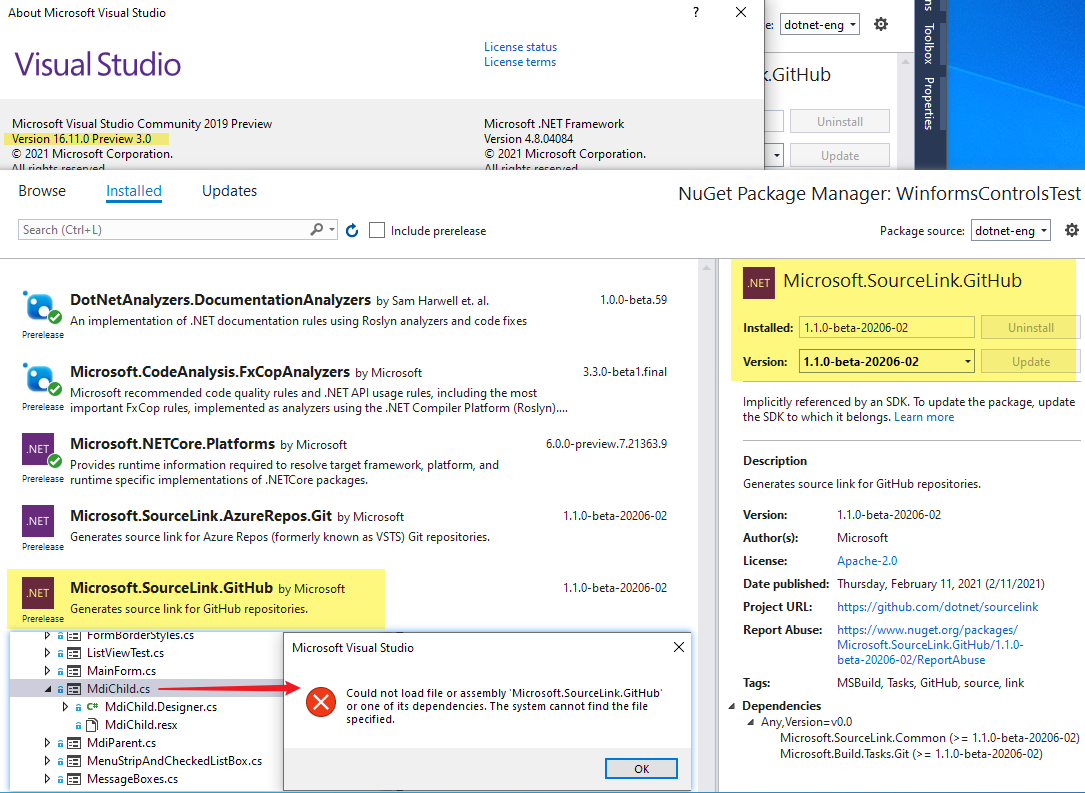
@RussKie designer not working with this error:
image
Any advice?

@RussKie

RussKie commented Jul 15, 2021

Copy link
Copy Markdown
Contributor

Hmm... We don't use assembly, at least directly anywhere...
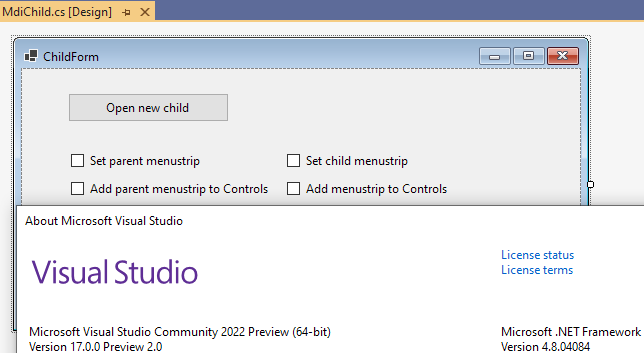
"Works on my machine" 😃 Though I'm on 17preview2
image

Maybe try deleting artifacts folder, then .\build.cmd, followed by .\start-vs.cmd?

@kirsan31

Copy link
Copy Markdown
Contributor Author

Maybe try deleting artifacts folder, then .\build.cmd, followed by .\start-vs.cmd?

Not helped sadly :( So I have 2 options here:

  • Uninstall 16.11 and install 17.
  • Manually edit MdiChild.Designer.cs.
    ...

@RussKie

RussKie commented Jul 15, 2021

Copy link
Copy Markdown
Contributor

I'm sure it worked in v16 as well.
There's a 3rd option as well - make a quick project copy these files on it, make changes, copy back.

I don't think the extent of changes that require the designer is significant.

@kirsan31

kirsan31 commented Jul 15, 2021 •

Copy link
Copy Markdown
Contributor Author

I'm sure it worked in v16 as well.
There's a 3rd option as well - make a quick project copy these files on it, make changes, copy back.

I don't think the extent of changes that require the designer is significant.

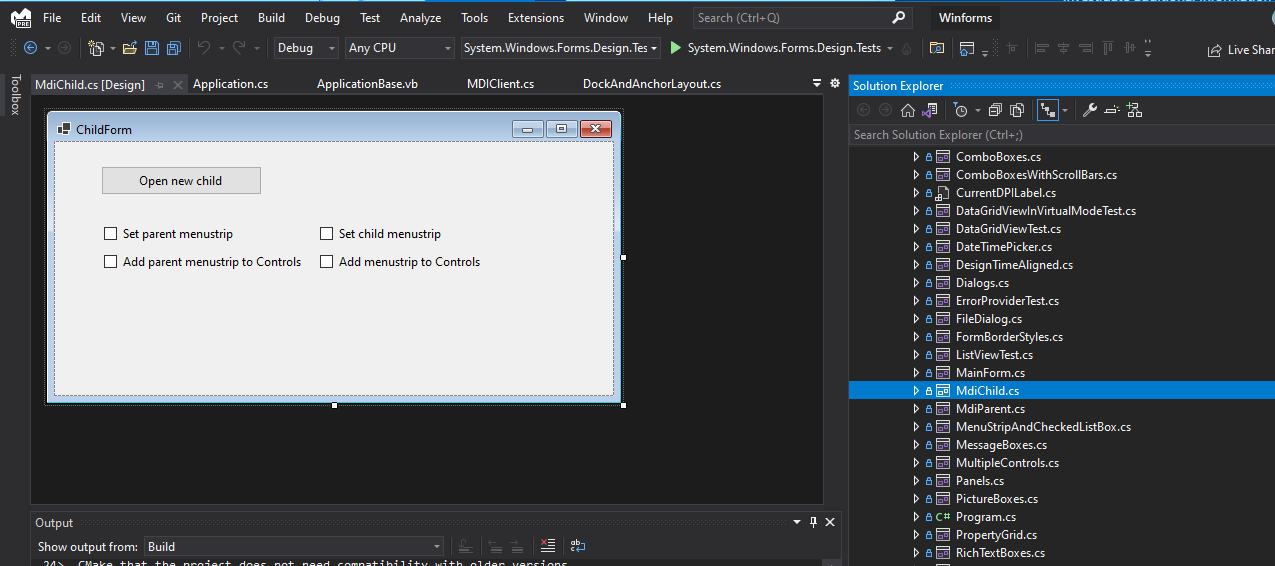
I've already install vs17p2 and it's worked :)
image
Strange...

----UPD----

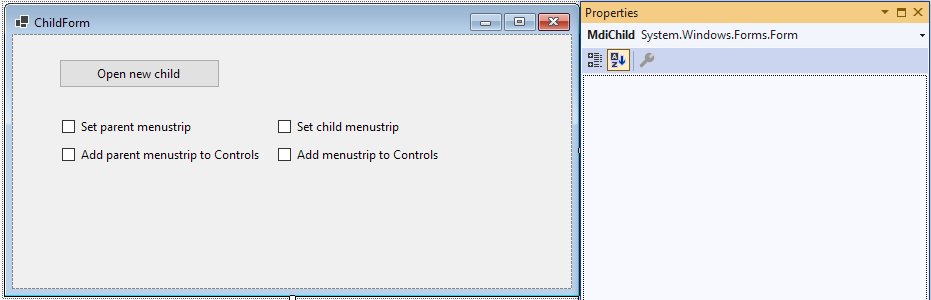
VS 2022 not showing any properties in designer (and no events icon at all) and constantly crashing...
image
Uninstalling it...

@dreddy-work

Copy link
Copy Markdown
Member

@kirsan31 , for VS 2022 crash, was it simple scenario of opening designer from your test application? or did you perform any other actions?

@dreddy-work dreddy-work added the waiting-author-feedback The team requires more information from the author label Jul 15, 2021
@kirsan31

kirsan31 commented Jul 15, 2021 •

Copy link
Copy Markdown
Contributor Author

@kirsan31 , for VS 2022 crash, was it simple scenario of opening designer from your test application? or did you perform any other actions?

@dreddy-work
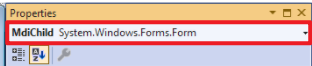
I was able normally open src\System.Windows.Forms\tests\IntegrationTests\WinformsControlsTest\MdiChild.cs in VS2022 designer (in VS2019 it was failing with error above).
But VS2022 was not displaying control's properties. And when I was trying to see some of them (selecting different controls on the form and click properties menu), VS crashed a lot. It was crashed also when I was trying to select control in this dropdown:
image

@ghost ghost removed the waiting-author-feedback The team requires more information from the author label Jul 15, 2021
@RussKie

RussKie commented Jul 16, 2021 via email •

Copy link
Copy Markdown
Contributor

@kirsan31

kirsan31 commented Jul 16, 2021 •

Copy link
Copy Markdown
Contributor Author
  1. Please update our manual MDI sample in a way that we can toggle the property on and off and see the result.

Done:

MDICA.mp4


  1. We'll also need an automated test, have a look at our maui tests and add a new test project for MDI. Maybe MauiPrintPreviewDialogTests be a good start?

Done.

@RussKie RussKie left a comment

Copy link
Copy Markdown
Contributor

Choose a reason for hiding this comment

The reason will be displayed to describe this comment to others. Learn more.

Almost there! 👍

@ghost ghost added waiting-author-feedback The team requires more information from the author and removed waiting-author-feedback The team requires more information from the author labels Jul 19, 2021
@kirsan31
kirsan31 requested a review from RussKie July 19, 2021 10:10
RussKie
RussKie previously approved these changes Jul 19, 2021
@dreddy-work
dreddy-work merged commit 30e8cd7 into dotnet:main Jul 19, 2021
@ghost ghost added this to the 6.0 rc1 milestone Jul 19, 2021
@kirsan31 kirsan31 mentioned this pull request Jul 22, 2021
@RussKie

RussKie commented Jul 22, 2021

Copy link
Copy Markdown
Contributor

But VS2022 was not displaying control's properties. And when I was trying to see some of them (selecting different controls on the form and click properties menu), VS crashed a lot. It was crashed also when I was trying to select control in this dropdown:
image

@kirsan31 have you reported those via the VS Feedback? We're actively working through the user feedback to ensure things like that don't happen.

@merriemcgaw @JeremyKuhne FYI

@kirsan31

Copy link
Copy Markdown
Contributor Author

@RussKie

@kirsan31 have you reported those via the VS Feedback? We're actively working through the user feedback to ensure things like that don't happen.

Sadly no, at that moment I was frantically trying to find a way to open your form in the designer to write a test :)
P.s. In the end I wrote everything manually anyway :)
P.p.s. Your suggestion

There's a 3rd option as well - make a quick project copy these files on it, make changes, copy back.

naturally worked, but after small trivial change and save it in designer, whole MdiChild.Designer.cs was totally messed up with lots of unnecessary changes :(

@ghost ghost locked as resolved and limited conversation to collaborators Feb 12, 2022
Sign up for free to subscribe to this conversation on GitHub. Already have an account? Sign in.

Labels

None yet

Projects

None yet

Development

Successfully merging this pull request may close these issues.

[MDI] Add possibility to align minimized child to default location (TOP LEFT)

4 participants