
Tree is a keyboard-first outliner for macOS. Write notes, break ideas into branches, and focus on a branch while keeping the surrounding structure within reach.
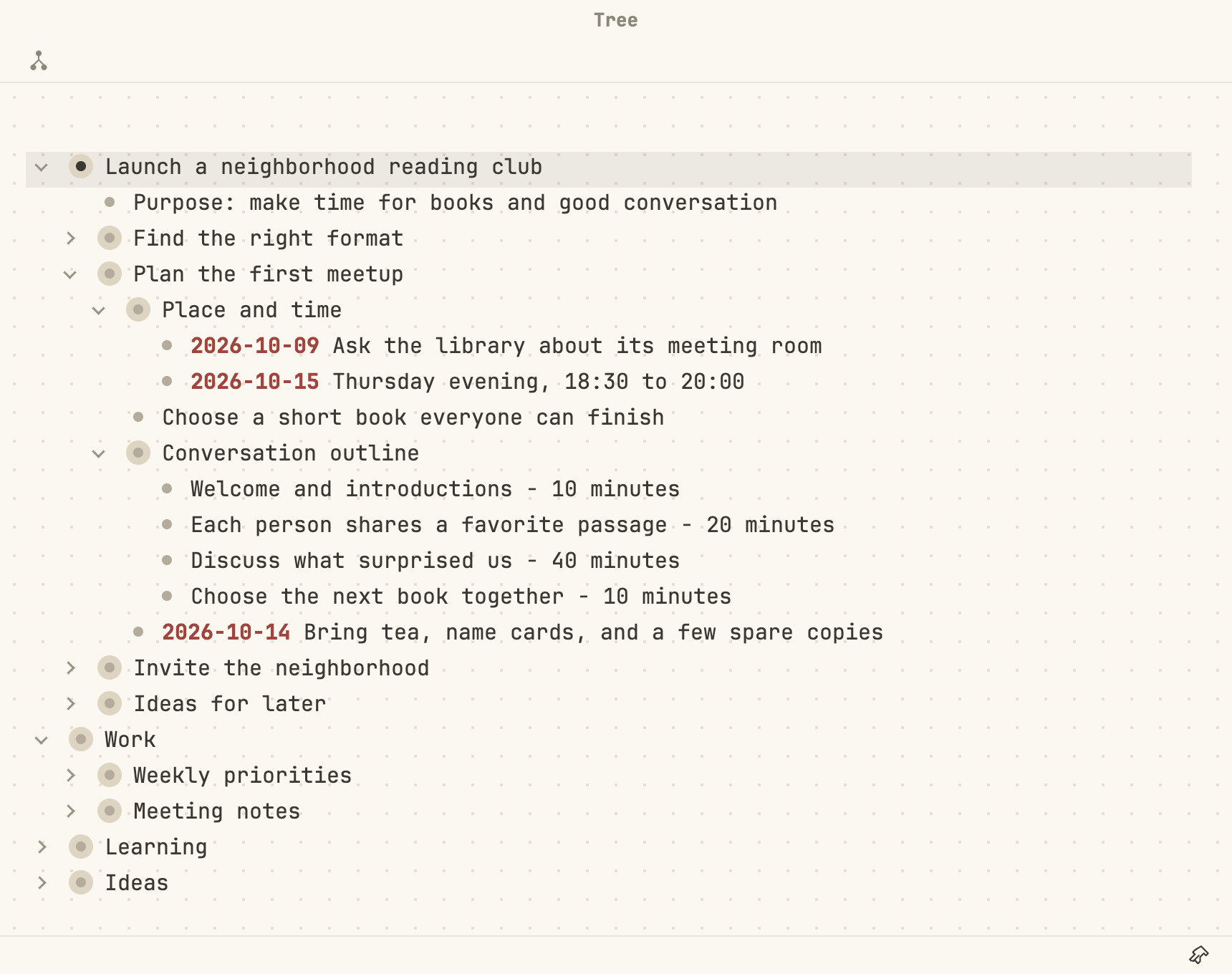
Keep projects, notes, and ideas in one outline. Expand the branches you are working on and keep other details folded away.
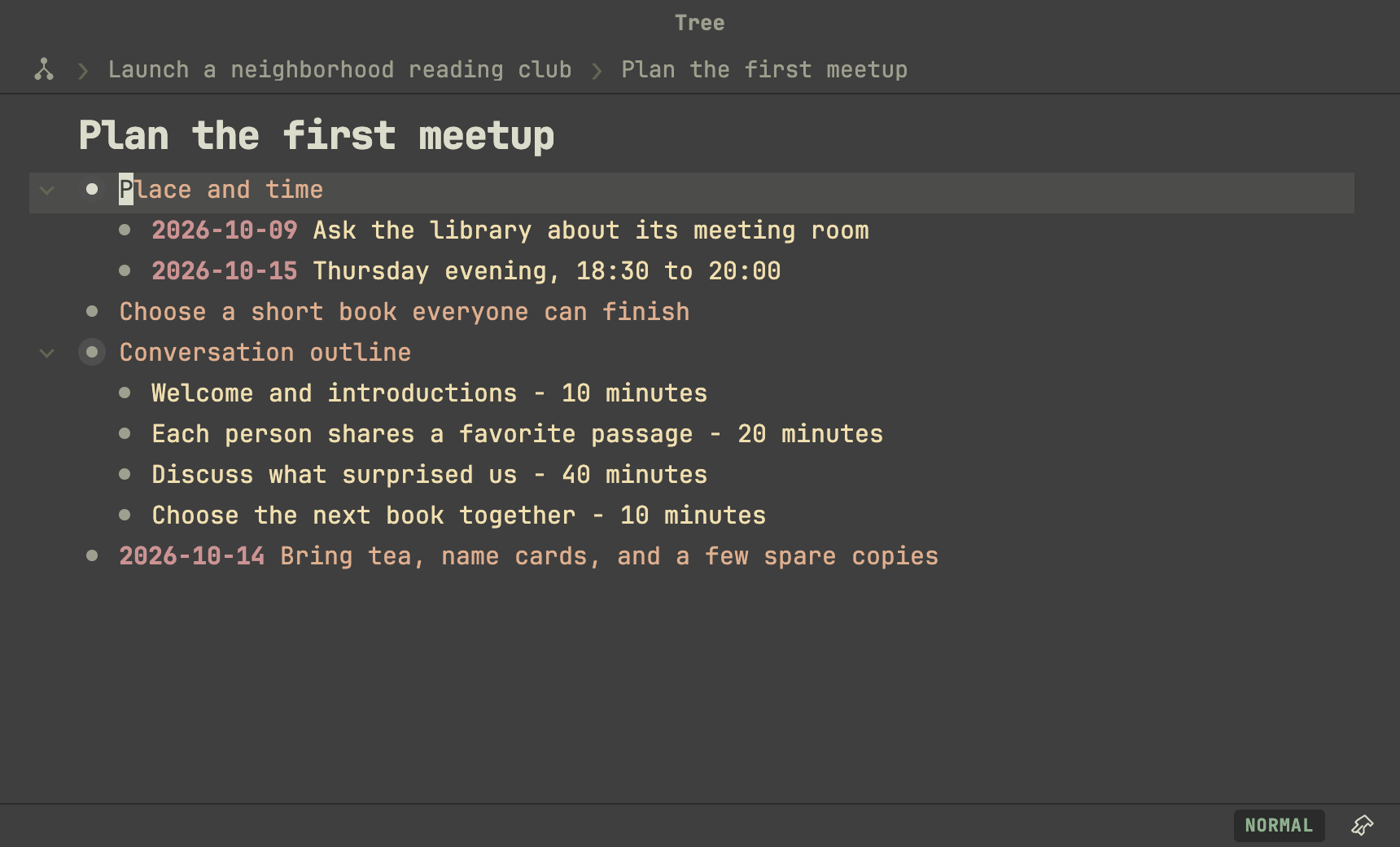
The same outline, focused on “Plan the first meetup”: the node text and expanded branches are unchanged. The breadcrumb path keeps its place in the larger project visible. Here, the dark appearance and Vim Normal mode are enabled.
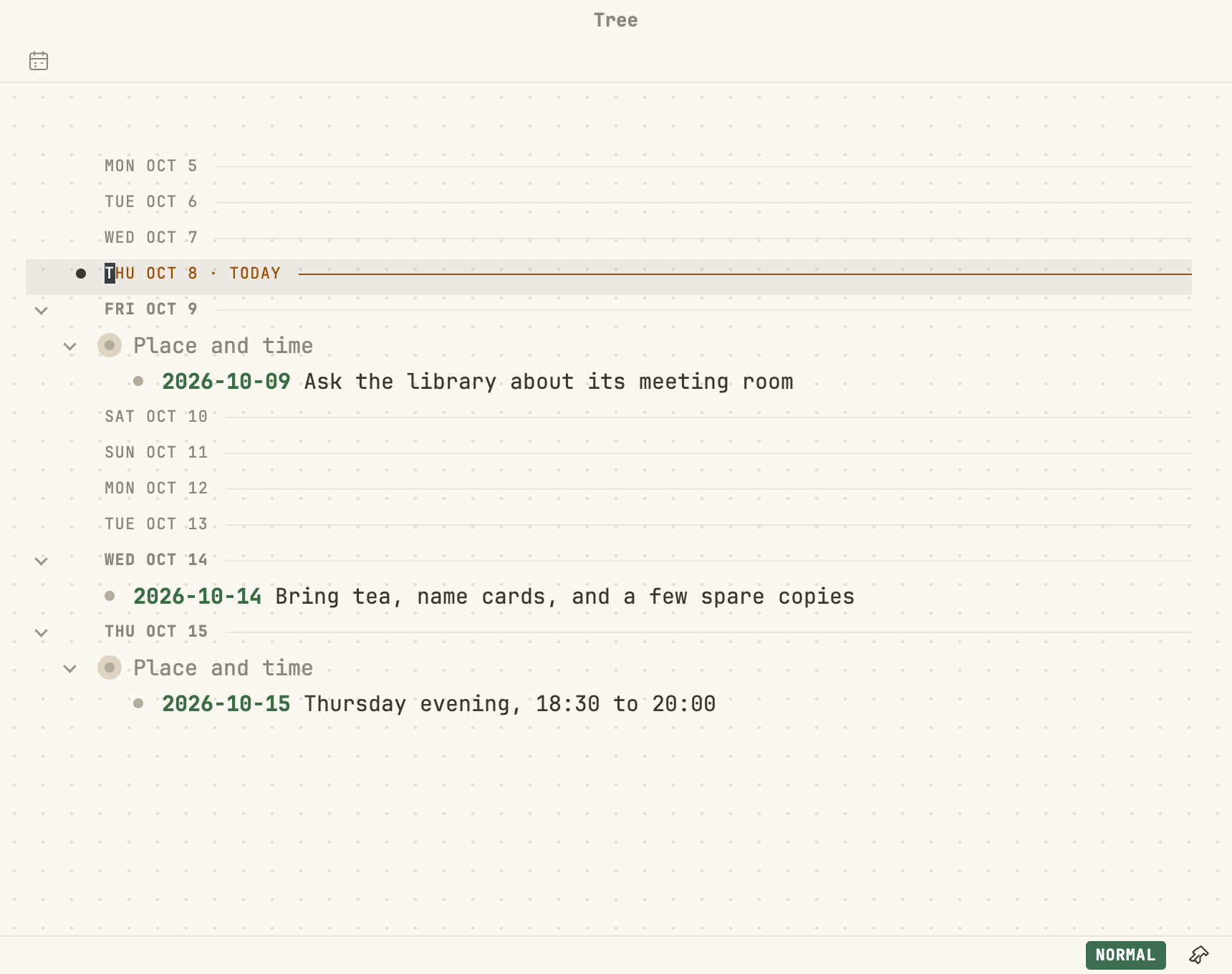
The Agenda gathers the dated nodes of the same outline into a timeline of days. Each occurrence keeps its place in the outline through its ancestors, and Today is marked.
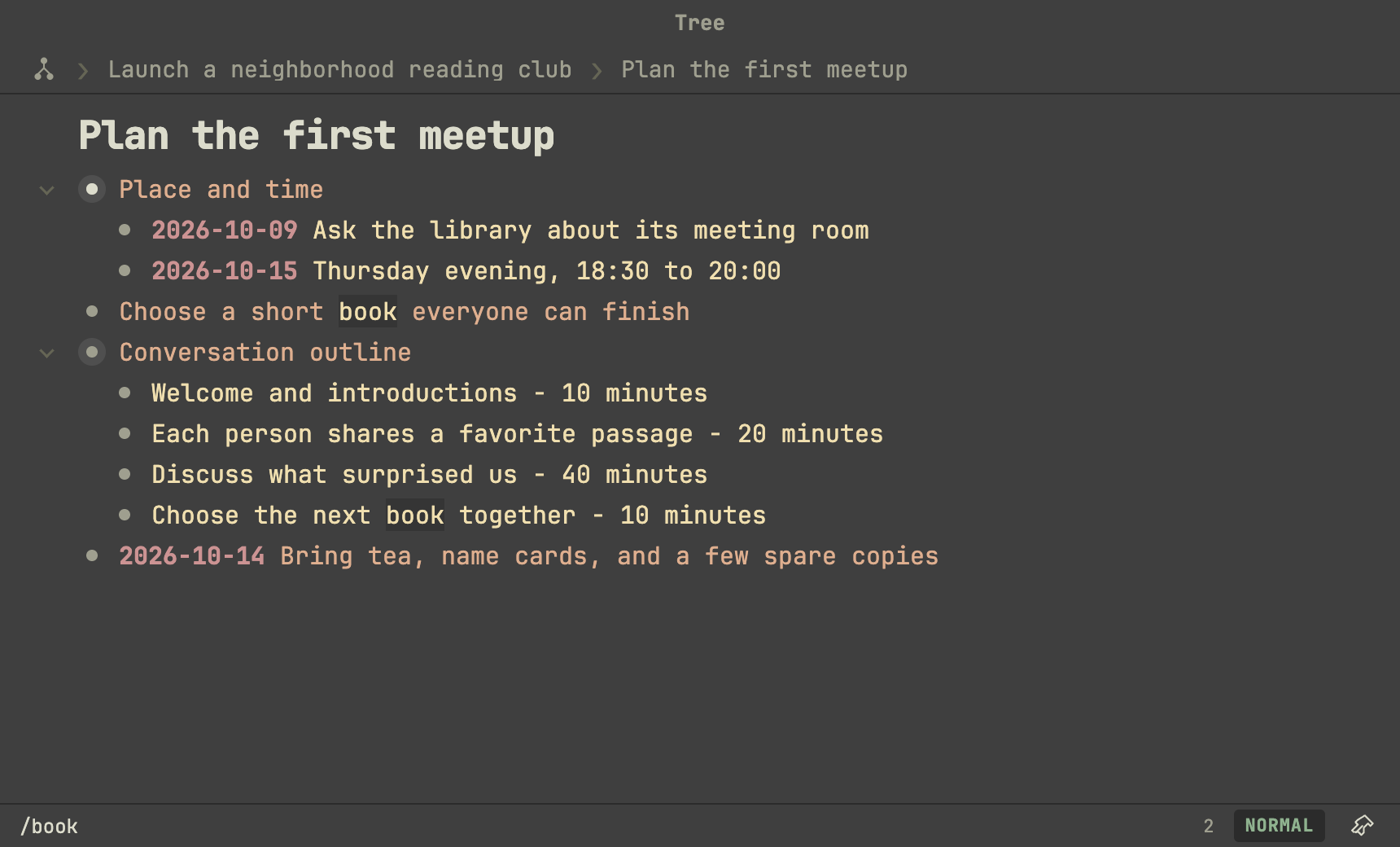
Search highlights matching text and shows the match count. In Vim Normal mode, press / to search, then use n and N to move between matches.
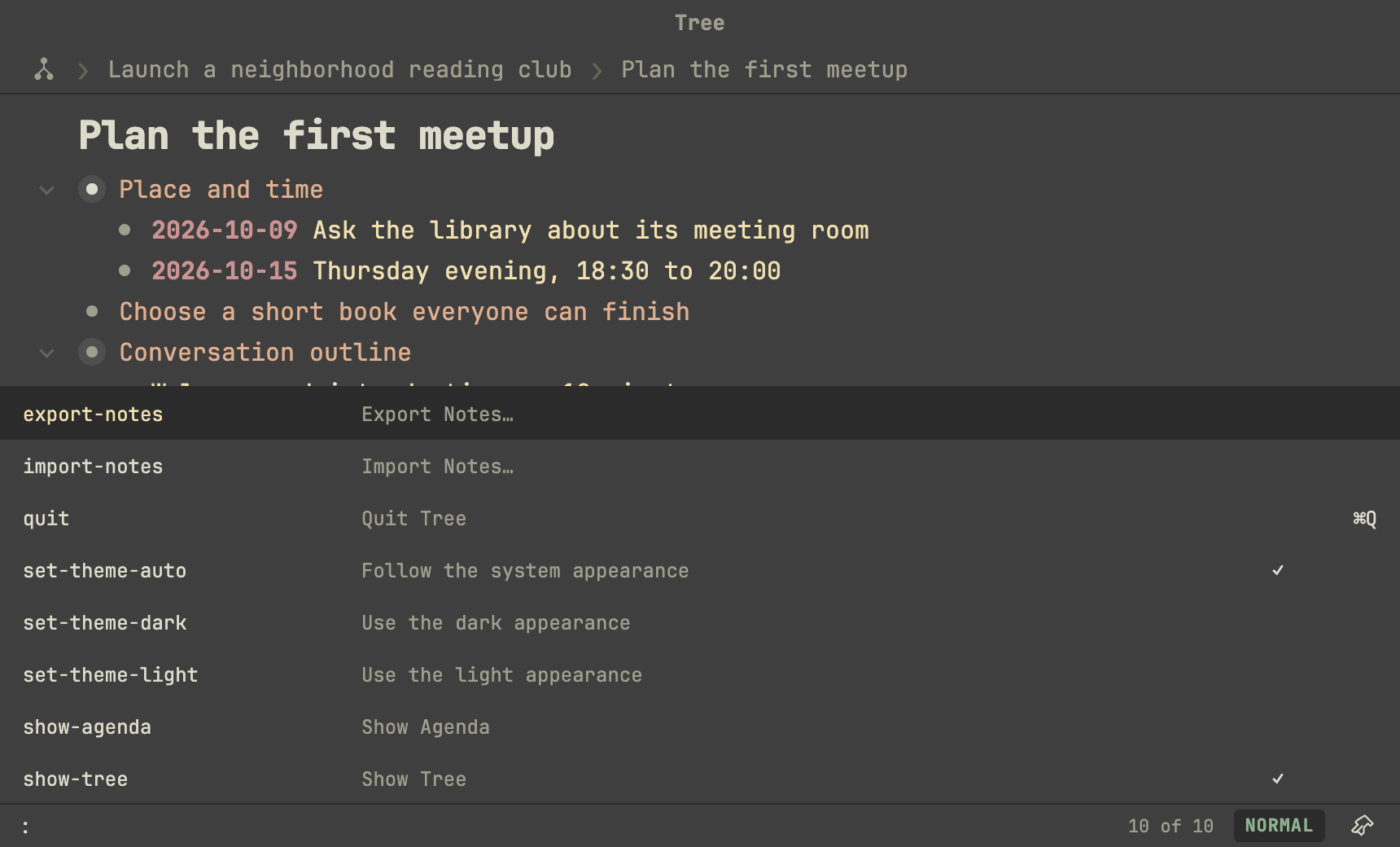
The command panel keeps application commands and their shortcuts within reach. Press : in Vim Normal mode to open it, then type to filter the list.
- Nested outlines. Edit text inline, expand branches, or enter a node to focus on its children.
- Flexible editing. Use standard text editing or enable Vim-inspired editing with Normal, Insert, Visual, and Replace modes.
- Easy organization. Move nodes and their branches with keyboard commands or drag-and-drop, and undo or redo edits.
- Image attachments. Paste images into nodes and open them in a larger preview.
- Local storage. Documents and images stay on your machine, with automatic saving and recovery from retained document versions.
- Light and dark appearances. Choose an appearance or follow the macOS setting.
Tree has no cloud document service and sends no telemetry. Opening external links, searching with Google, and using macOS Look Up can contact external services at your request; see the Security Policy.
Detailed behavior and editing commands are described in Product Requirements.
Tree is currently in development. There is no packaged application release yet; the repository provides the source and development build.
On macOS, install the toolchain listed in the Development Guide, clone this repository, and run these commands from its directory:
npm install
npm run dev
To build and run the production output locally:
npm run build
npm run start
The build produces unpackaged output, not an installable .app or .dmg. See the Development Guide for setup details, checks, and troubleshooting.
The local browser version runs with npm run dev:web at http://127.0.0.1:5174/.
Its source, checks and current limitations are in Browser version.
- Product Requirements — user-visible product behavior and requirements.
- Open Questions — non-normative product and technical questions that are still open, with their evidence and decisions.
- Architecture — technology stack, technical architecture, boundaries, and design principles.
- Development Guide — development environment, commands, testing, validation, and repository conventions.
- Agent Roles — the formal definition of each agent role, shared by every coding-agent tool's config.
- Security Policy — the security model and the tests that verify it.
- Agent Instructions — instructions for AI coding agents working on the repository.
- Active Plans — multi-session initiatives and review follow-up batches, with their next tasks.
- License — MIT License.
Describe a task or defect to the coding agent. The agent handles implementation, required checks, and commits; the Product Owner controls material product and technical decisions.
Write menu to see the main requests, including continuing authorized work, viewing or saving ideas, discussing a solution, fixing a defect, and reviewing permission interruptions. The menu marks which requests can change files. Ordinary language works too. See Working with the Coding Agent for the complete workflow.
Implementation code lives under src/. The architectural layers, module structure, and dependency direction are defined in Architecture.
Coding-agent role definitions live in Agent Roles; each tool implements them through its own native config (opencode.json + .opencode/agents/ for OpenCode, .codex/config.toml + .codex/agents/ for Codex, .claude/settings.json + .claude/agents/ for Claude Code). The development lifecycle is defined in Agent Instructions, while durable Architecture Decision Records live in docs/decisions/.
Product behavior is defined by the Product Owner and documented in Product Requirements. The repository's operating rules, including domain/UI separation and the test contract, are defined in Agent Instructions. The architectural invariants are defined in Architecture.
Tree is licensed under the MIT License.