
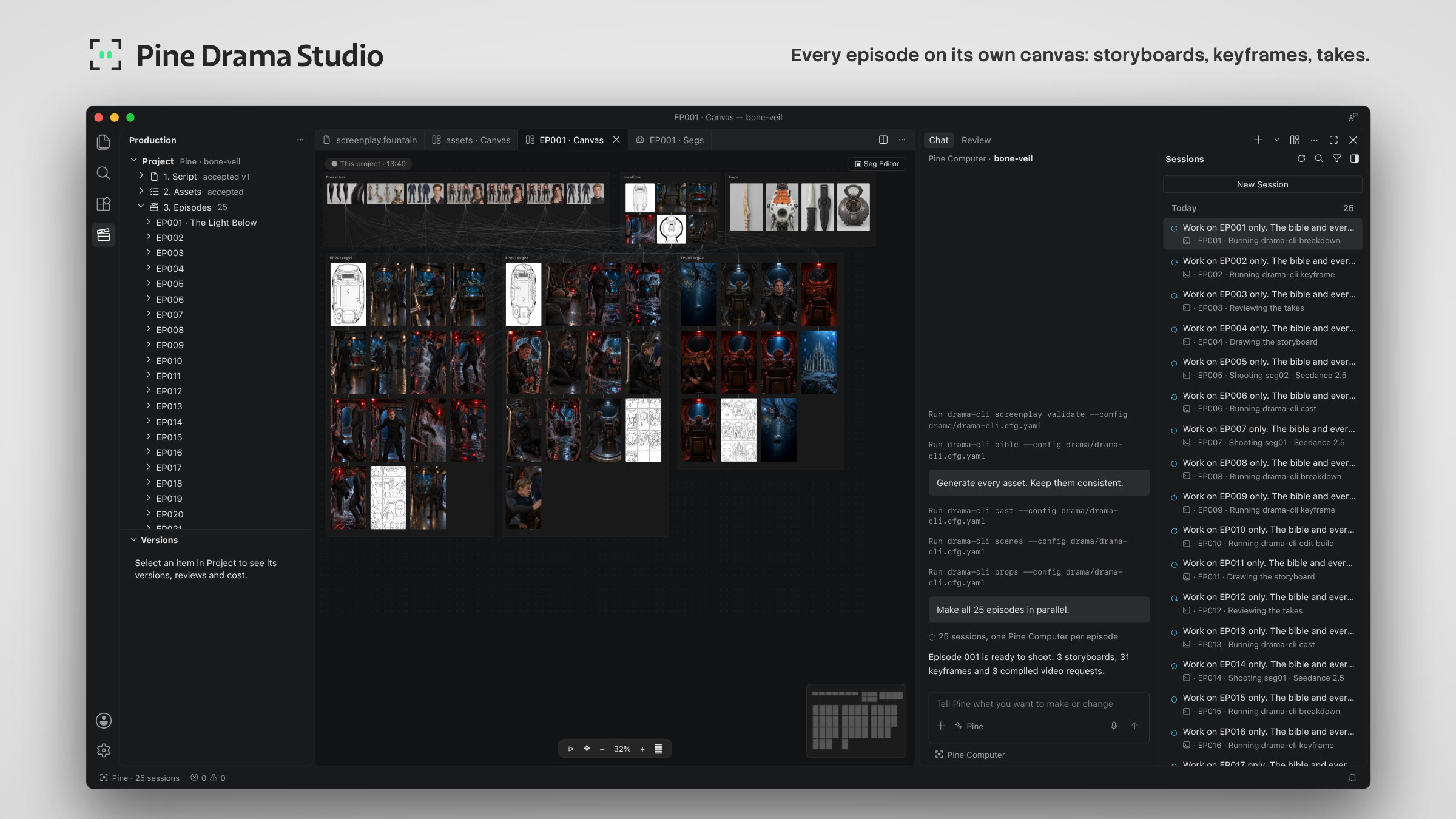
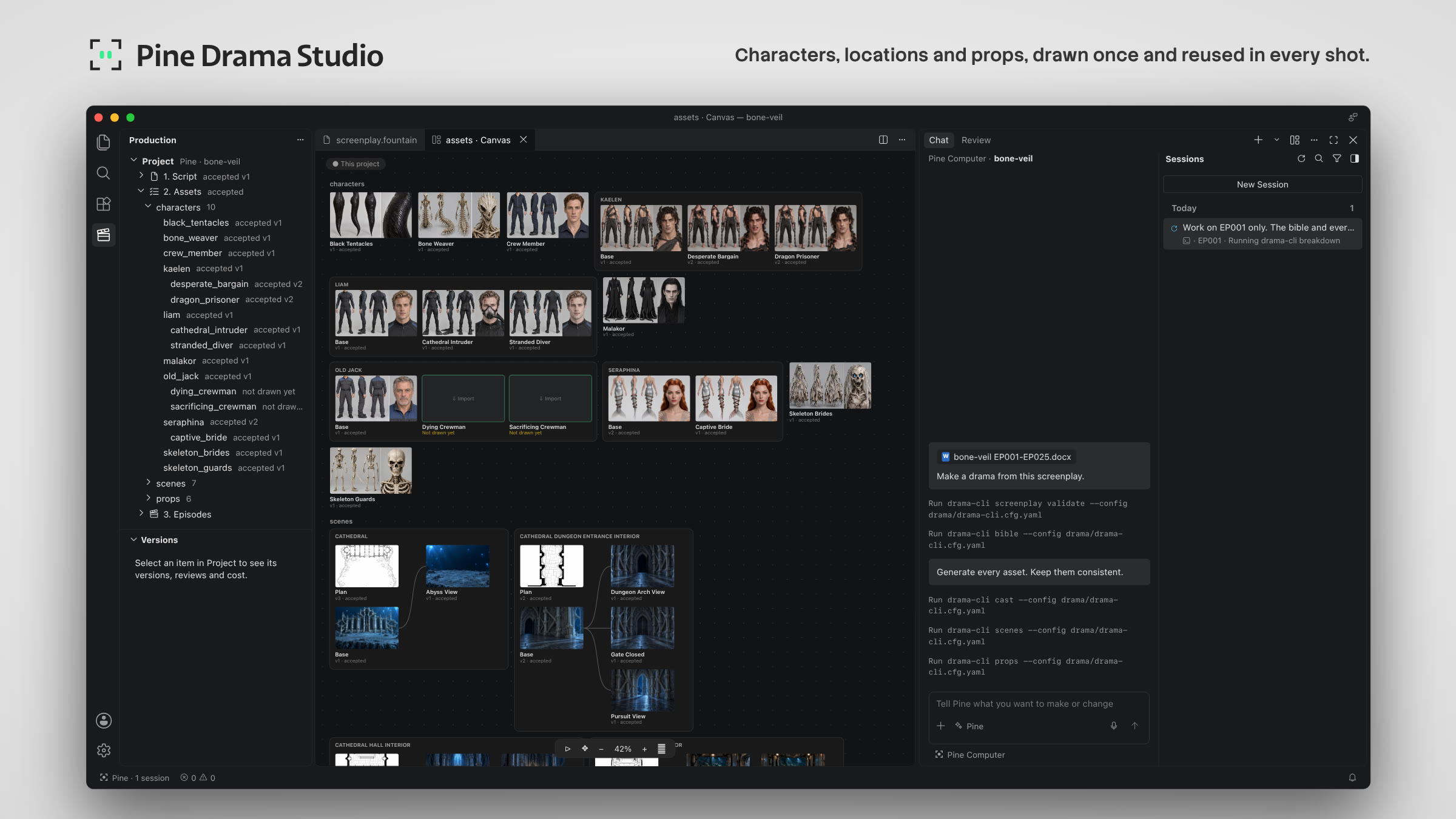
A desktop studio for AI short dramas, built on Code-OSS. You write or bring a screenplay; an agent on a Pine Computer makes the drama with you: characters, locations and props, keyframes, storyboards, takes and the cut. You answer its questions in the Chat; the drama's folder on your machine is its only copy.

Community: questions, ideas and help on Discord.
- Left: the project, its assets and episodes. Center: the canvas, the galleries and the editors. Right: the Chat with the agent. Bottom: diagnostics.
- The drama's folder is a git repository with one folder per object, and git keeps its history. The Studio and a Pine Computer speak one open protocol. The terms are defined, with their film-industry sources, in the vocabulary.
You don't need to provide a preset: Pine Computers come with built-in presets, and the agent picks one or uses the one
you name. To use your own, write it as presets describes (the format, the reply schemas and a minimal
sample) and put it in your project's inputs/preset/<your-preset>/.
- Docs are Markdown in GitHub Flavored Markdown.
- The protocol uses the key words of RFC 2119, and its schema is JSON Schema 2020-12.
- Screenplays are Fountain.
- Releases are numbered by Semantic Versioning.
- Commits are signed off under the Developer Certificate of Origin.
- Production terms follow the film and VFX industry's sources, named for each term in the vocabulary.
- Download the latest release from the Releases page:
the
.dmgfor your Mac,darwin-arm64for Apple silicon ordarwin-x64for Intel. Both are signed and notarized by Apple. - Open it and drag Pine Drama Studio to Applications. From then on the app updates itself.
- Get a Pine project key (
pk_…) at pinecomputer.io.
To build it yourself instead, see Build from source.
- Get a Pine project key (
pk_…) at pinecomputer.io. - Open Pine Drama Studio and connect with the key (Accounts menu › Pine Computer). The key is kept in your operating system's secret storage.
- Create a project (File › New Project…), choose an empty folder, and drop in your screenplay.
- Talk to the agent in the Chat. Each paid step starts only after you say go there, and its results appear on the canvas.
More: the quick start for making a drama, and the architecture for developers.
Requirements: macOS, git, Node.js (the version in Code-OSS's .nvmrc) and the Code-OSS build prerequisites
(https://github.com/microsoft/vscode/wiki/How-to-Contribute).
git clone https://github.com/PineComputer/pine-drama-studio.git
cd pine-drama-studio
scripts/upstream-setup.sh          # clones Code-OSS beside this folder at the pinned commit and applies upstream/patches
cd ../vscode && npm ci && npm run compile && cd -
cd extensions/pine-drama && npm ci && npm run compile && cd -
scripts/dev-launch.sh               # starts the Studio on the compiled Code-OSS
scripts/package-macos.sh packages a .app for Apple silicon (--arch=x64 for Intel Macs). The Windows x64 installer is built, signed and tested in CI (.github/workflows/release-win32.yml, with scripts/package-win32.mjs and scripts/release-win32.mjs). The extension's tests: cd extensions/pine-drama && npm test.
A package you build yourself is ad-hoc signed. If it runs first, it creates the "Pine Drama Studio Safe Storage" keychain item, and macOS may then ask for your login keychain password when the signed release uses it. Choose Always Allow: later releases that meet the same designated requirement keep that access without asking again.
See CONTRIBUTING.md (commits are signed off under the DCO) and the working rules in AGENTS.md. Report security issues privately: SECURITY.md.
Apache-2.0 (LICENSE, NOTICE). Code-OSS is MIT-licensed by Microsoft.